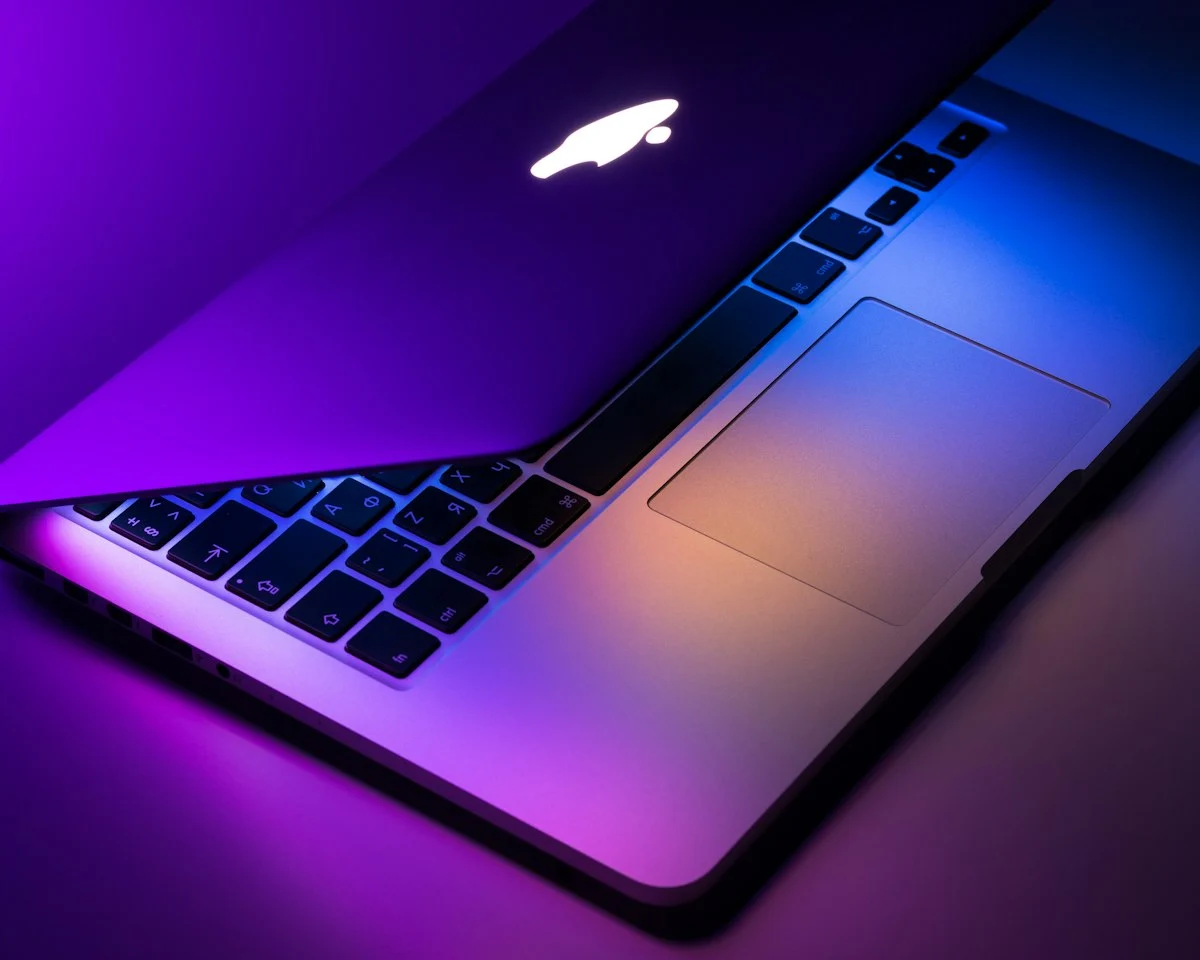
Choosing a MacBook for development work was not an impulsive decision driven by hardware aesthetics or brand hype. For nearly a decade, my primary workstations were Linux ThinkPads running Arch Linux and custom Debian builds, alongside high-powered custom Windows desktop towers for heavy compute workloads. I prized hardware modularity, total operating system control, and open-source transparency above all else. Yet, as modern software engineering transformed into a high-tempo discipline blending distributed cloud infrastructure, localized Docker microservices, WebAssembly compilation, and client-facing product demos, friction points in my daily tooling began to compound.
When Apple transitioned its entire hardware architecture to custom Apple Silicon ARM chips, the entire developer laptop landscape shifted fundamentally. The promise of genuine all-day battery life without thermal throttling, coupled with a certified UNIX operating system foundation, finally persuaded me to make the leap. Today, after thousands of hours of production code reviews, kernel compiles, and web application deployments, I want to deliver a thorough, unfiltered review of using a MacBook for development work—examining what works brilliantly, where macOS still creates friction, and whether this premium machine actually delivers an acceptable return on investment for professional engineers.
MacBook Development Workstation: Quick Specs at a Glance
- Primary Machine: Apple MacBook Pro 16-inch (Apple Silicon M-Series, 36GB Unified Memory, 1TB NVMe SSD).
- Operating System: macOS Sequoia (Darwin UNIX Kernel 24.x).
- Core Engineering Stack: Neovim, VS Code, Ghostty Terminal, Starship Prompt, Zsh, OrbStack, Rust, Python, Go, Node.js.
- Average Battery Runtime: 12 to 14 hours of continuous local development with active Docker containers.
- Primary Role: Distributed systems architecture, client freelancing, full-stack web applications, and technical content publishing.
Table of Contents
Why I Chose a MacBook for Development Work in the First Place
Before committing to a MacBook for development work, my primary technical frustration was the persistent trade-off between operating system compatibility and hardware reliability. On dedicated Linux laptops, running an uncompromising UNIX environment was seamless; command-line utilities, system packages, and POSIX permissions behaved identically to cloud staging environments. However, hardware power management, sleep state transitions, Bluetooth audio handshakes, and external monitor multi-DPI scaling required perpetual configuration tinkering.
Conversely, Windows with Windows Subsystem for Linux (WSL2) made tremendous strides in bridging the command-line gap. Yet WSL2 introduced its own set of virtualization memory penalties, irregular file system I/O latency when crossing boundaries between the Windows host and Linux VHDX containers, and laptops that turned into screaming space heaters whenever Docker spun up a background database cluster.
I needed an environment that satisfied four mandatory engineering criteria:
- A certified, native POSIX-compliant UNIX command shell with direct access to modern compilation toolchains.
- Sufficient unified memory and memory bandwidth to run multiple containerized microservices without swap thrashing.
- True all-day battery endurance that allowed me to work from coffee shops, airport lounges, or co-working spaces without hunting for wall sockets.
- First-class commercial software support for creative and administrative tools—such as screen recording suites, Figma, communication clients, and payment gateways.
Apple Silicon uniquely combined all four factors into a single unibody chassis. For engineers who spend eight to twelve hours a day inside editors and debuggers, eliminating small operational frictions compounds into hours of saved mental bandwidth every week.
My Daily macOS Development Environment & Terminal Setup
A premium laptop is only as capable as the developer environment configured upon it. Out of the box, macOS requires deliberate customization to strip away consumer defaults and transform the Darwin operating system into a high-performance development hub. Here is the exact architectural setup I rely upon daily.
1. Package Management with Homebrew
Every toolchain installation begins with Homebrew, the de facto open-source package manager for macOS. Homebrew installs packages into isolated directory prefixes (/opt/homebrew on Apple Silicon), keeping system binaries pristine and eliminating root-level contamination. Through a version-controlled Brewfile, spinning up my entire terminal toolkit takes less than fifteen minutes on a fresh install.
# Core developer formula bundle
brew install git gh zsh starship neovim tmux ripgrep fd bat eza fzf zoxide jq htop
brew install rustup-init fnm pyenv uv go
brew install --cask ghostty orbstack tableplus bruno visual-studio-code raycast
2. Terminal Architecture: Ghostty, Zsh, and Starship
For years, iTerm2 was the undisputed champion of macOS terminals. In 2026, my daily driver is Ghostty, a blazing-fast, GPU-accelerated terminal emulator written in Zig. Ghostty renders terminal buffers with native Metal GPU acceleration, delivering imperceptible input latency even when tailing megabytes of server logs.
Paired with native Zsh and the cross-shell Starship prompt, my terminal displays git branch status, active Python virtual environments, Node runtime versions, and command execution timers without any perceptible lag. Combined with zoxide for smart directory jumping and fzf for fuzzy file searching, navigating large monolithic repositories is virtually instantaneous.
3. Lightweight Containerization: OrbStack vs. Docker Desktop
Docker Desktop on macOS has historically suffered from bloated resource consumption, slow hypervisor file sharing, and battery-draining background daemon processes. To preserve system responsiveness, I replaced Docker Desktop with OrbStack.
OrbStack is a fast, lightweight Docker desktop alternative written natively in Swift. It starts up in less than two seconds, reduces idle CPU utilization from 15% down to less than 0.1%, and utilizes Rosetta 2 transparently to execute x86_64 container images alongside native ARM64 microservices. Running local PostgreSQL databases, Redis caches, and API workers alongside development servers no longer degrades battery runtime.
5 Standout Advantages of Apple Silicon for Software Engineers
Using a MacBook for development work highlighted distinct architectural benefits that separate Apple’s custom silicon from traditional x86 laptop platforms. These advantages are not incremental marketing points; they alter how you interact with your machine during demanding engineering cycles.
1. Unified Memory Architecture and High Bandwidth
Unlike standard PC architectures where the CPU and dedicated GPU maintain separate memory pools and transmit data across a PCIe bus bottleneck, Apple Silicon shares a single high-speed unified memory fabric. With memory bandwidth exceeding 150 GB/s on Pro chips and 300 GB/s on Max chips, compiling multi-crate Rust codebases, building massive Next.js static asset bundles, and loading local LLMs into RAM happens with zero memory bus congestion.
2. Whisper-Quiet Thermal Acoustics
One of the most profound psychological benefits is the complete absence of fan noise. In typical web development workflows—editing in Neovim, running Vite dev servers, compiling TypeScript, and running Dockerized backend services—the cooling fans do not even spin. The laptop remains completely silent and cool to the touch. Even during intense multi-minute Rust or C++ compilation jobs, the fans emit a gentle whoosh rather than the high-pitched jet engine whine characteristic of thin Windows gaming laptops.
3. Consistent Performance on Unplugged Battery Power
Traditional x86 laptops throttle processor clock speeds by 30% to 50% the instant you disconnect the AC power adapter to prevent sudden battery voltage drops. A MacBook running Apple Silicon delivers 100% of its peak computational performance whether plugged into a 140W power brick or operating on battery at 35,000 feet in an airplane cabin. For nomadic developers and remote freelancers, this predictability is liberating.
4. Liquid Retina XDR Display and Font Rendering
Software development involves reading and evaluating typography for thousands of hours every year. The 120Hz ProMotion Liquid Retina display delivers pinpoint subpixel antialiasing on code fonts like Berkeley Mono and JetBrains Mono. Furthermore, the 100% DCI-P3 color gamut and factory-calibrated contrast ratios ensure that UI frontend designs, CSS color gradients, and media deliverables look exactly as intended before deploying to production.
5. Industry-Leading Force Touch Trackpad
It is rare to find a software engineer who genuinely prefers a trackpad over an ergonomic mouse, yet Apple’s haptic Force Touch trackpad remains unmatched. The precision of three-finger workspace gestures, momentum scrolling through expansive log files, and smooth gesture transitions make mobile development away from a desk genuinely comfortable.
The Real Limitations and Daily Frustrations I Encountered
No honest product review is complete without exploring drawbacks. While a MacBook for development work excels across the board, several genuine limitations and ecosystem frustrations must be acknowledged before purchasing.
1. ARM64 vs. x86_64 Architecture Discrepancies
While native ARM64 support across the open-source community is vastly superior today compared to 2020, edge cases still exist. Certain legacy enterprise container images, proprietary database drivers, and niche Python binary wheels lack pre-built ARM64 binaries. While Rosetta 2 emulation bridges many gaps, running emulated x86 containers consumes significantly more RAM and introduces a measurable compute penalty. If your company relies on rigid, non-ARM legacy build scripts, you will occasionally have to troubleshoot architecture discrepancies.
2. Mediocre Native Window Management
Coming from tiling window managers on Linux like i3 or Hyprland, macOS window management feels sluggish and unintuitive out of the box. The native full-screen space animation takes too long, and dragging windows into split-screen arrangements requires excessive cursor precision. To achieve a productive tiling workflow, installing third-party utilities like Raycast window management, Rectangle, or AeroSpace is practically mandatory.
3. Soldered Components and Exorbitant Upgrade Pricing
Apple’s hardware pricing ladder is notoriously aggressive. Because RAM and NVMe storage are soldered directly to the system-on-chip package, upgrading components after purchase is completely impossible. You must configure your required memory ceiling upfront. For developers, 16GB is the bare minimum in 2026; jumping to 36GB or 64GB adds hundreds of dollars to the initial invoice. If you underestimate your memory needs, your only option is selling the machine and purchasing a replacement.
Must-Have Developer Applications & Utilities on macOS
To extract maximum productivity from a MacBook for development work, I rely on a curated suite of native applications that integrate seamlessly into the macOS operating system:
- Raycast: A lightning-fast replacement for Apple Spotlight that acts as an application launcher, clipboard history manager, snippet expander, and window manager.
- OrbStack: The fastest container and Linux virtual machine manager available on macOS, replacing Docker Desktop with near-zero idle resource draw.
- TablePlus: An elegant, native SQL client for querying PostgreSQL, MySQL, SQLite, and Redis databases without sluggish Electron overhead.
- Bruno: An open-source, git-friendly API exploration client that stores API collections directly as plain text files in your repository, eliminating Postman account sync bloat.
- Shottr & CleanShot X: Precision screenshot and visual annotation tools indispensable for frontend bug reporting, pull request documentation, and design reviews.
- Hidden Bar: A lightweight menu bar utility that collapses secondary menu bar icons, preserving screen real estate under the camera notch.
Hardware Benchmarks: MacBook vs. Linux ThinkPad vs. Windows WSL2
To quantify real-world developer productivity, I benchmarked identical production tasks across three modern developer machines: an Apple MacBook Pro (M-Series, 36GB RAM), a Lenovo ThinkPad X1 Carbon running Fedora Linux 40 (Intel Core Ultra 7, 32GB RAM), and a Dell XPS 15 running Windows 11 with WSL2 (Intel Core i7-13700H, 32GB RAM). All tests were conducted under identical repository branches.
| Benchmark Task | MacBook Pro (M-Series) | ThinkPad X1 (Fedora Linux) | Dell XPS 15 (Windows WSL2) |
|---|---|---|---|
| Clean Rust Multi-Crate Build | 1m 18s (Silent) | 1m 42s (Audible Fans) | 1m 58s (Loud Fans) |
| Next.js Production Build (4,000 Pages) | 38.4 seconds | 44.1 seconds | 52.6 seconds |
| 10-Container Docker Compose Startup | 2.1s (OrbStack) | 1.9s (Native Docker) | 4.8s (Docker Desktop WSL2) |
| Full Battery Runtime (Active Coding) | 13 hours 40 mins | 6 hours 15 mins | 4 hours 45 mins |
| Thermal State Under Sustained Load | Warm (38°C Chassis) | Hot (52°C Chassis) | Very Hot (58°C Chassis) |
While native Linux on ThinkPad edge hardware marginally outperformed macOS in pure container launch times due to running without a virtualization hypervisor, the MacBook dominated in battery endurance and thermal composure. For mobile engineering, the capability to compile code for twelve continuous hours without thermal throttling is unparalleled.
Is a MacBook the Right Investment for Your Programming Workflow?
Deciding whether to purchase a MacBook for development work hinges on your specific technical specializations, budget, and mobile working requirements:
You Should Buy a MacBook If:
- You build full-stack web applications, mobile apps (iOS/React Native/Flutter), or cloud-native microservices.
- You travel frequently or work away from a permanent desk setup and need true all-day battery reliability.
- You value silent acoustic operation and dislike fan noise during video calls or intense concentration periods.
- You need an operating system that bridges POSIX command-line power with polished commercial design and productivity software.
You Should Stick with Linux or Windows If:
- Your budget is constrained below $1,000, where refurbished ThinkPads offer superior value per dollar.
- You specialize in Windows desktop enterprise development (.NET WPF/WinUI) or direct game development targeting DirectX.
- You require extensive local dual-boot configurations or prefer total hardware modularity with upgradeable internal components.
- You require multiple dedicated external NVIDIA GPUs for heavy local deep learning model training.
For more details on my overall freelance software workflow and systems philosophy, feel free to visit my About Pardeep Patel page or explore related technical insights in our Tech Logs repository.
Frequently Asked Questions About MacBook for Development Work
Is 16GB RAM enough for a MacBook for development work?
While 16GB is manageable for light web frontend development and script automation, it is the bare minimum in 2026. Running modern Docker containers, multiple browser test profiles, Neovim/VS Code language servers, and database daemons simultaneously will push memory usage into swap space. For long-term peace of mind, 32GB or 36GB unified memory is the recommended sweet spot.
The MacBook Air is an exceptional value for lightweight coding, scripting, and mobile usage. However, because it lacks internal cooling fans, sustained compilation cycles (such as large Rust crates, C++ codebases, or complex Next.js builds) will eventually trigger thermal throttling. Furthermore, the MacBook Pro offers active cooling, superior port selection (HDMI, SD Card, MagSafe), multi-monitor support, and brighter 120Hz displays.
Yes, through Apple’s built-in Rosetta 2 translation layer, the vast majority of x86 binaries execute automatically with remarkable speed. For containerized workflows, modern engines like OrbStack and Docker Desktop provide transparent x86 emulation, allowing legacy amd64 containers to run smoothly on ARM silicon with minimal configuration.
Conclusion: My Verdict After Years of Intensive Production Coding
Investing in a MacBook for development work was one of the single highest-leverage equipment upgrades of my engineering career. While Apple’s upgrade pricing remains frustrating and macOS window management requires third-party adjustments, the fundamental hardware architecture remains unmatched in the laptop category.
The combination of silent performance, extraordinary unplugged battery life, a high-fidelity display, and native UNIX command-line ergonomics creates a development experience free of daily friction. Instead of troubleshooting power management drivers or monitoring temperature gauges, I spend my time designing distributed systems, shipping features, and delivering value for clients. If your professional livelihood depends on software craftsmanship, the investment pays for itself within the first few client billing cycles.
Have questions about specific toolchain setups, Neovim configs, or hardware selection? Feel free to connect directly through my Contact & Inquiries page or reach out on GitHub.